Roof condition reports, from the roof to the PDF.
Capture each finding on your iPhone while you are on the roof. Finish the report at your desk, and hand your client a professional PDF.
How the work goes
1Start a report at the desk
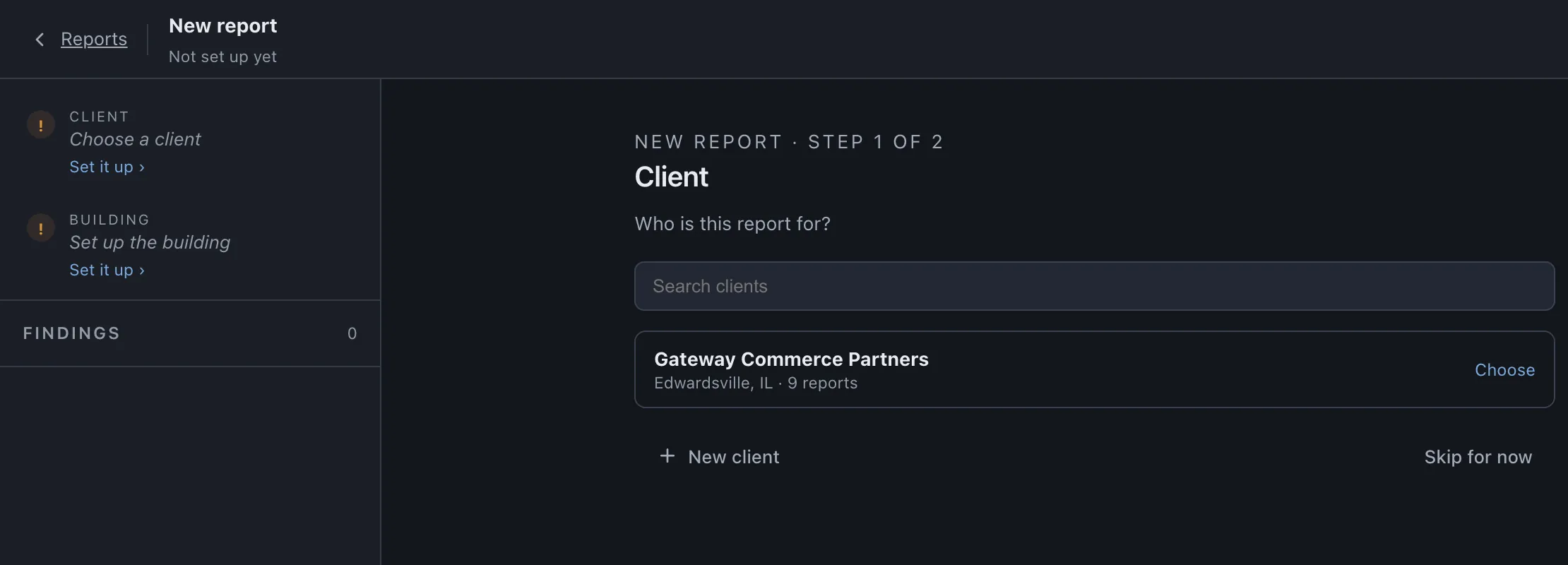
In the web app, choose the client and set up the building: its address, the aerial map and the outline of the roof.
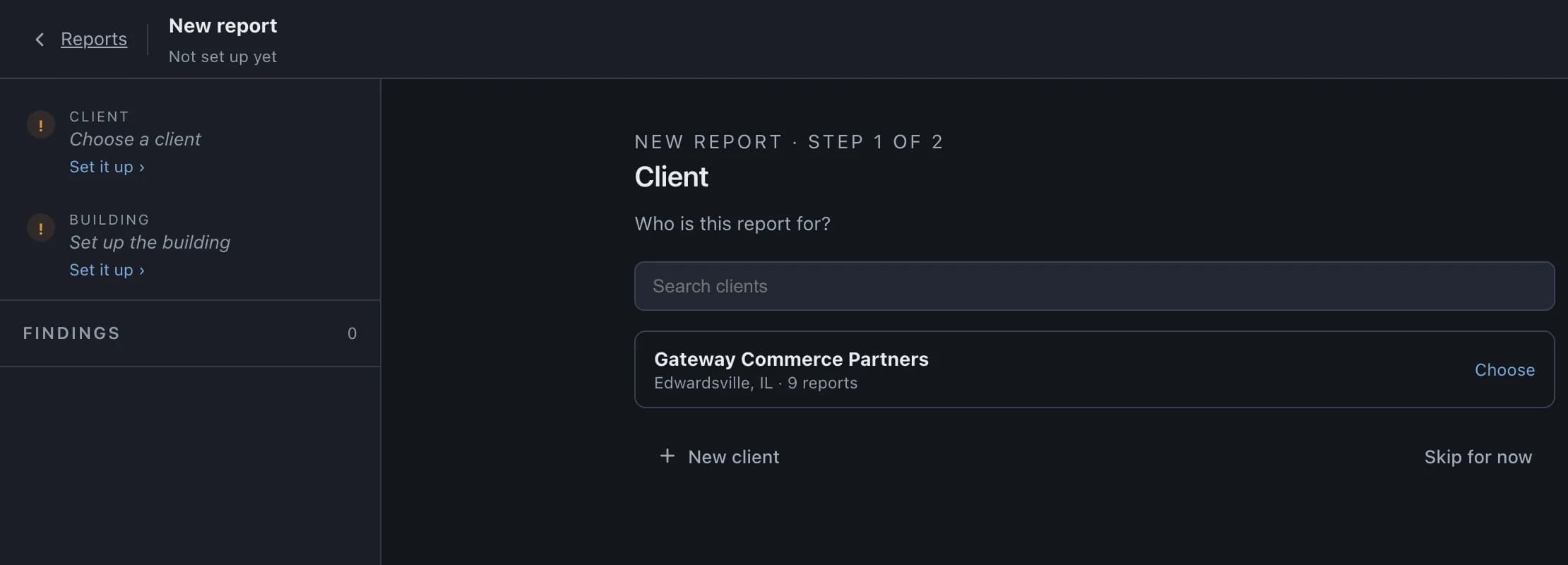
A new report: first the client, then the building. 2On the roof, on the iPhone
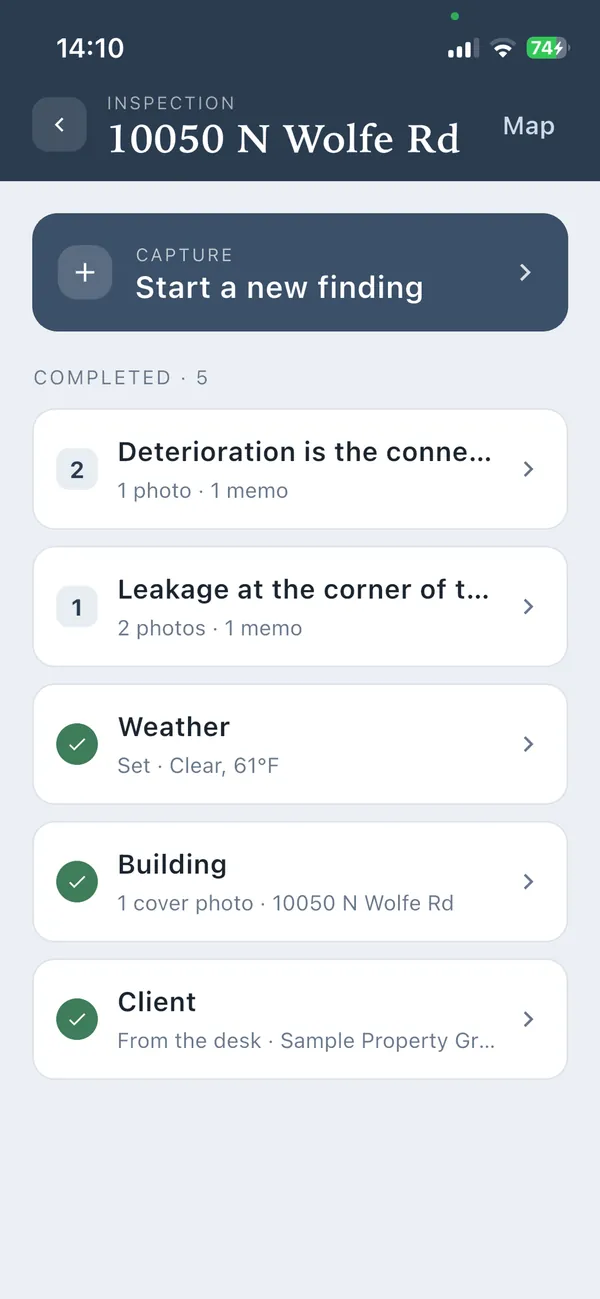
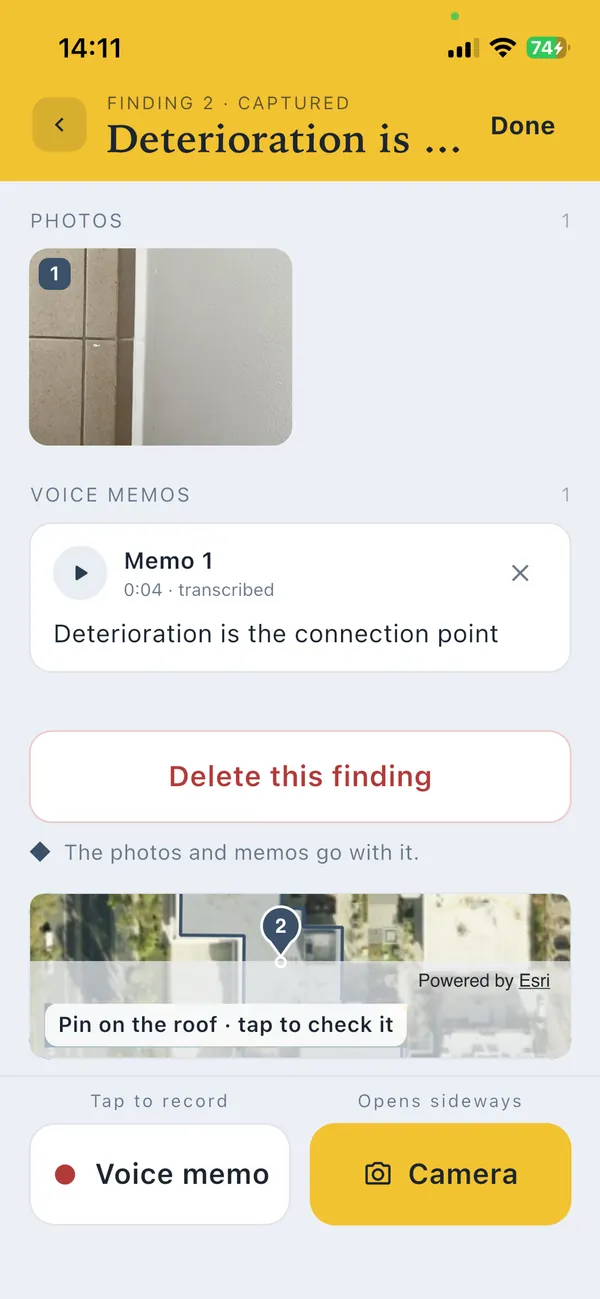
Open the report on your iPhone. For each finding, take photos, put a pin on the aerial map and record a voice memo. No signal on the roof? Keep working: everything is saved on the phone and syncs when you have signal again.
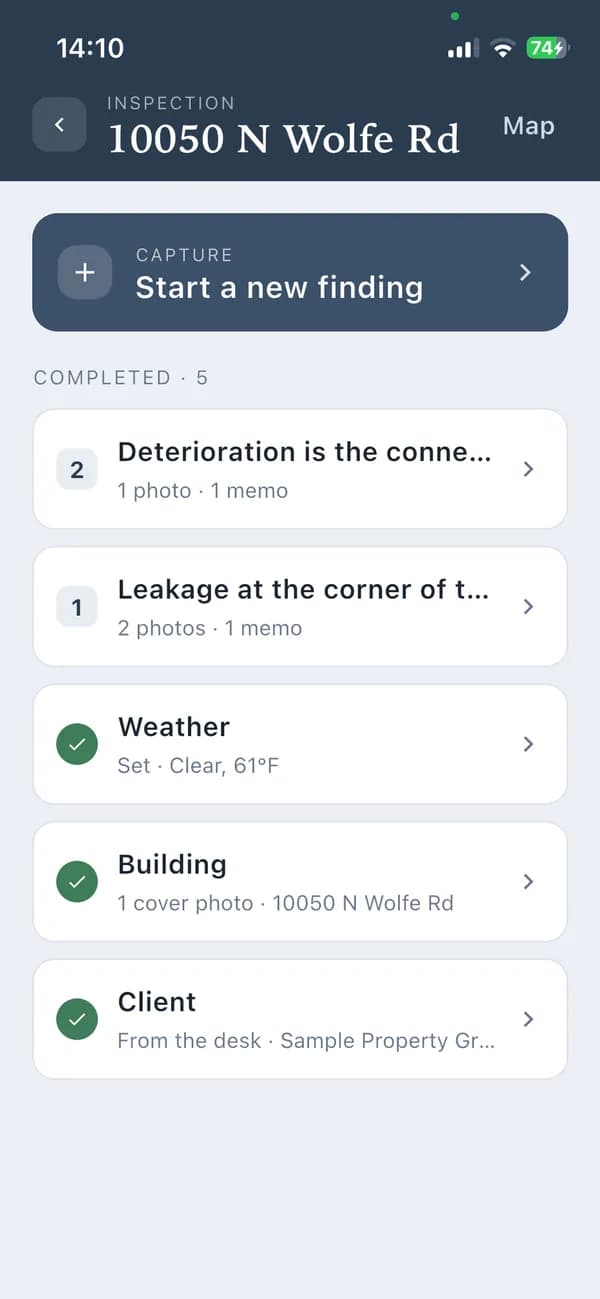
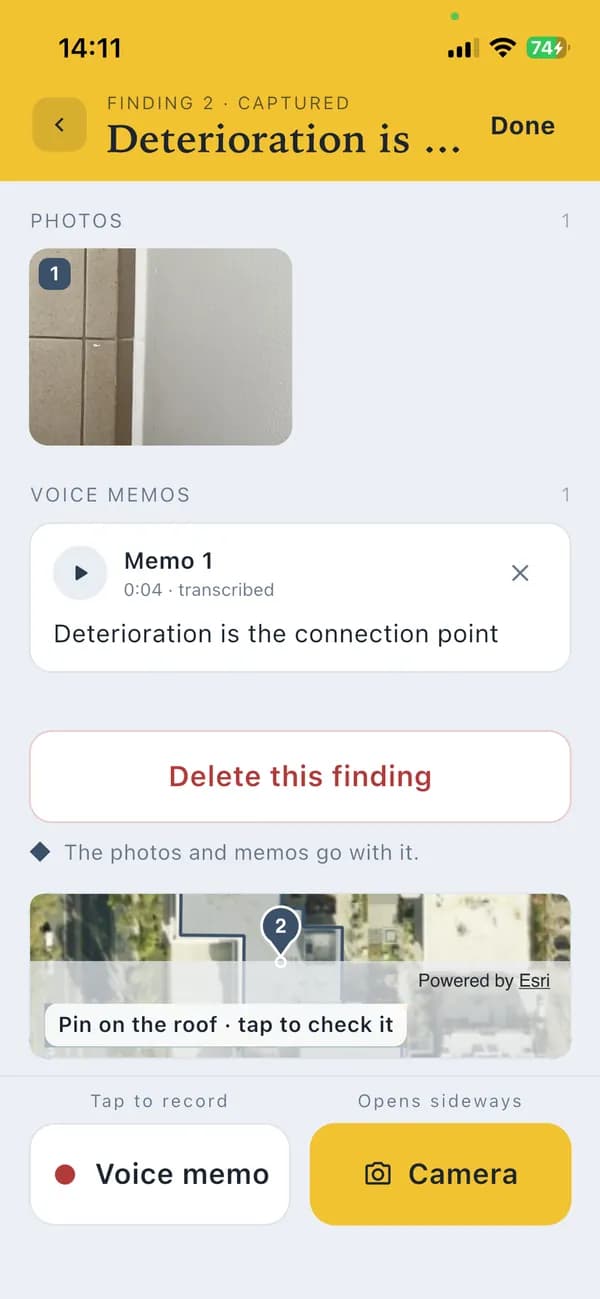
The inspection on the iPhone, and one finding: its photo, its memo, its pin. 3Back at the desk
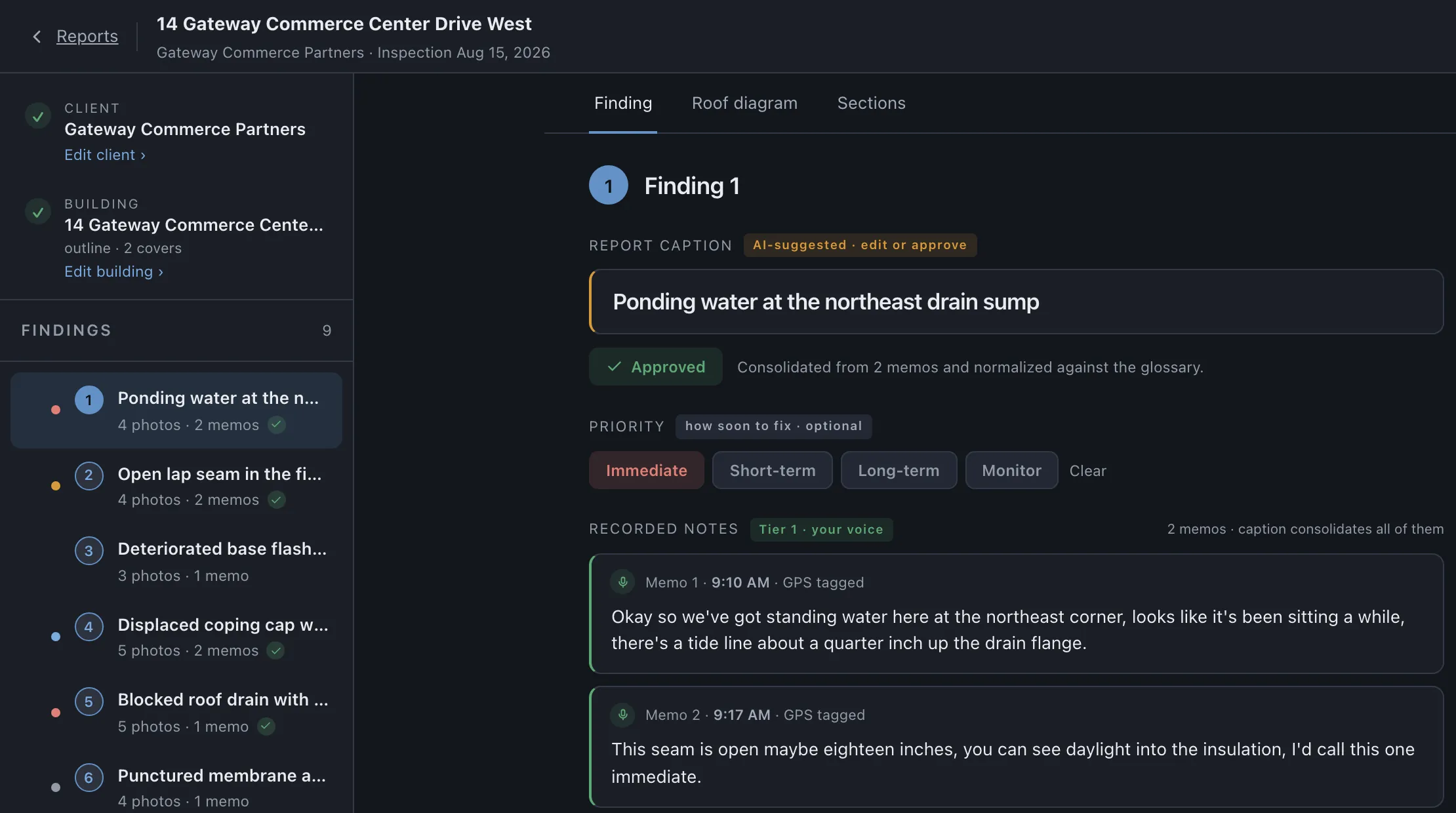
Every finding is already in the web app, with its photos and your memos turned into text. RoofDossier suggests a short caption for each finding from your own words; you change it or approve it, set how soon it needs fixing, and write up the report.
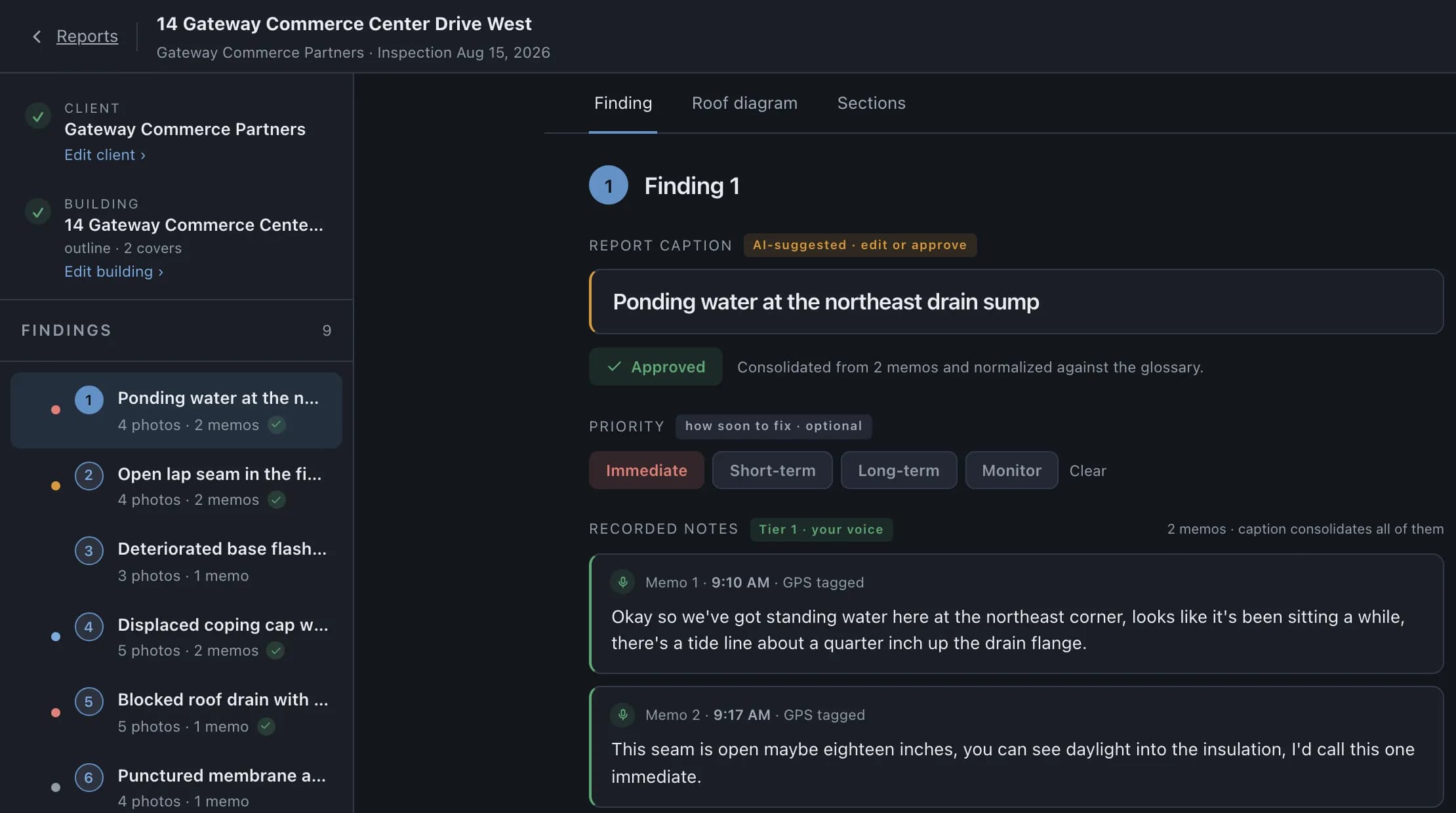
A finding at the desk: the caption, and both memos as text. 4Review the findings and generate the PDF
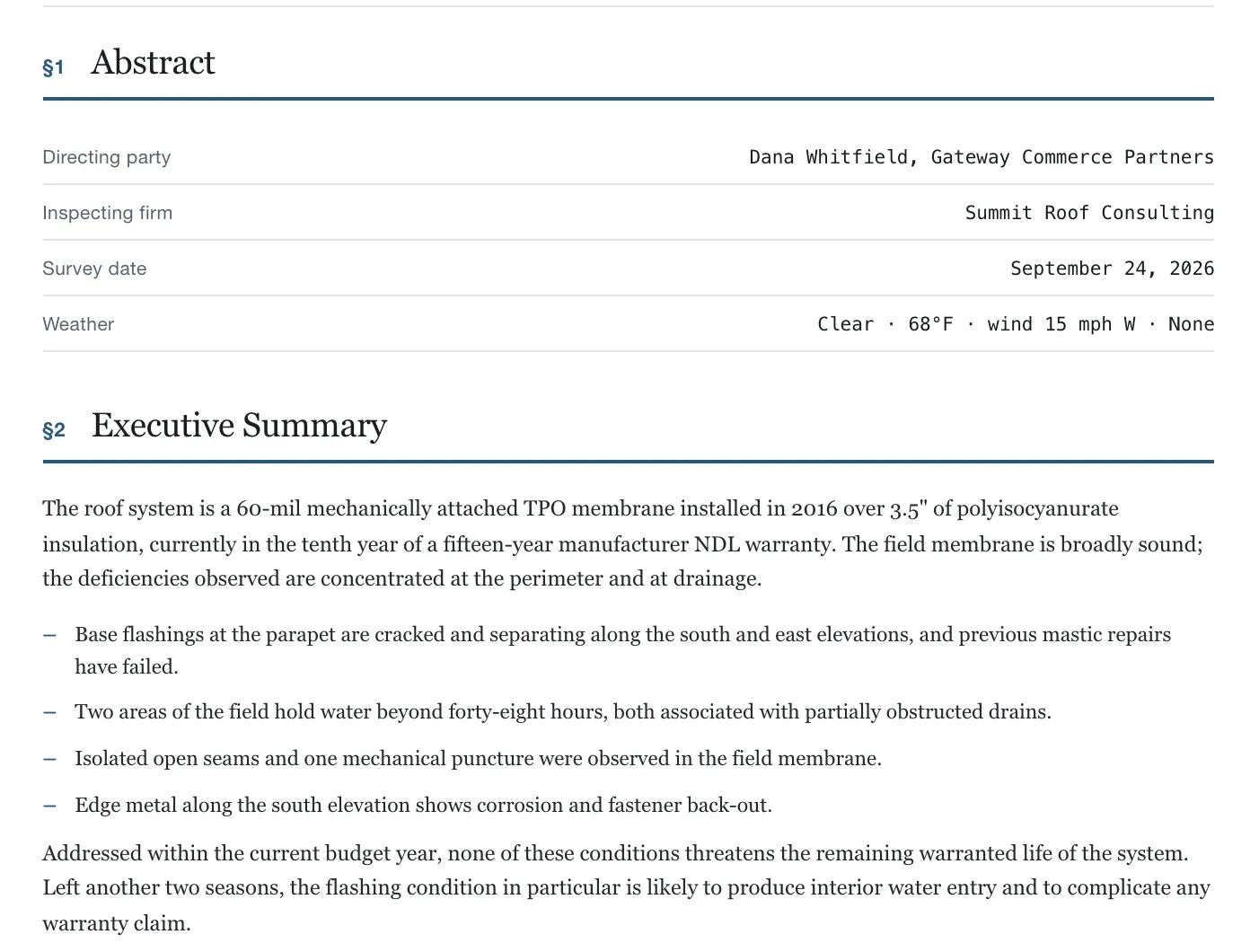
Preview the report, check every finding, and generate the PDF your client receives: the cover, your write-up, the roof plan with each finding pinned, and the photos of every finding.
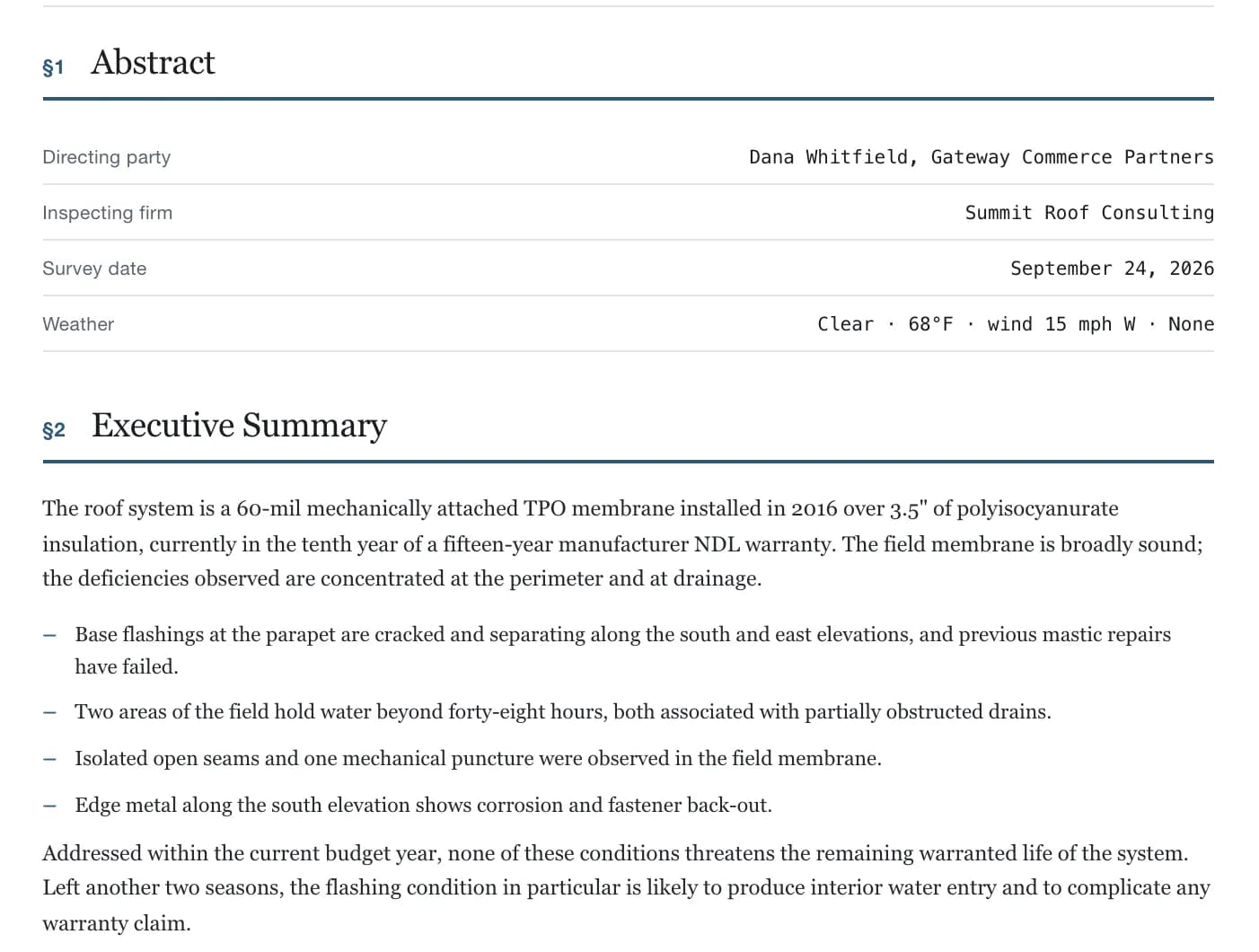
A page of the finished report.
Getting access
RoofDossier is invitation-only for now. To ask for access, write to support@roofdossier.com.
Already invited? Sign in to the web app.
The iPhone app is in App Store review. It will be linked here once Apple approves it.